Smart Solutions, Real Results: Discover Integrators’ Best Ignition Projects
54 min video / 46 minute read Download PDFSpeakers

Don Pearson
Chief Strategy Officer
Inductive Automation

Damian Hewitt
State Manager - SA
SAFEgroup Automation

Nigel Flynn
Client Manager
Actemium Toronto
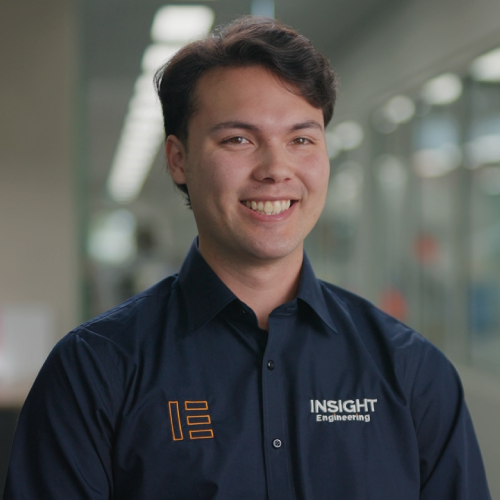
Kristopher Goli
Control Systems Engineer
Insight Engineering

Ben Gaspard
Manager - SCADA Services
The Integration Group of Americas (TIGA)
Look anywhere in the world and you’ll find industrial organizations that are facing down some serious challenges — everything from outdated manual processes, to a lack of standardization, to difficult data management, to a general need for more automation.
Don’t despair, though, because this is where system integrators and Ignition software come into the picture. Time and time again, skillful integrators have used the world’s most advanced industrial platform to solve complex problems in a timely, affordable, and future-proof manner.
In this webinar, we’ll show you real-world projects that improve efficiency, enhance data management, increase system reliability, elevate the user experience, and more. Join us to see what’s possible when innovative thinkers like you meet Ignition’s unlimited platform!
- Hear from award-winning system integrators
- Explore modern HMI/SCADA systems
- Learn how Ignition is used in a variety of industries
- Gain inspiration for your next automation project
Transcript:
00:00
Don Pearson: Hello, everyone, and welcome to today's Inductive Automation webinar, "Smart Solutions, Real Results: Discover Integrators' Best Ignition Projects." Thanks to everyone for joining us. Much appreciated for your time today. My name is Don Pearson. I'm the Chief Strategy Officer at Inductive Automation, and I will be the moderator for today's presentations. I'm being joined today by a pretty powerful panel of guest speakers, including Damian Hewitt, who is the State Manager for SAFEgroup Automation; Nigel Flynn, Client Manager at Actemium Toronto; Kristopher Goli, the control systems engineer at Insight Engineering; and Ben Gaspard, the manager of SCADA Services at The Integration Group of Americas, or TIGA. So, that was not a fair introduction to everybody. So, I'm going to let you introduce yourselves and do a better job than I just did. So, thanks to all of you for joining us today. Take a minute, and tell us a little more about yourself and about your company, a little bit of background, and Damian, let's go ahead and start with you.
01:08
Damian Hewitt: Yeah. Thanks, Don. So, it's Damian here, the state manager for South Australia for SAFEgroup Automation. We're an independent system integration company, and yeah, we do a lot of projects in Ignition around Australia. So, we've got a national footprint. So yeah, that's me.
01:24
Don Pearson: Thanks, Damian. How about you? Let's go ahead over to go to Nigel.
01:29
Nigel Flynn: Thanks, Don. Hi, my name is Nigel Flynn, client manager here at Actemium out of Toronto. 15 years of industry experience working in North America, Europe, and Australia. And I've been on both sides, client-facing and on the client side of industry. Yeah. We do a lot with Ignition.
01:51
Don Pearson: Great. Welcome, Nigel. All right. Kristopher, yourself.
01:55
Kristopher Goli: Thanks, Don. So, I'm Kristopher Goli, and I'm a control systems engineer at Insight Engineering Australia. Bit of an underdog on this panel. I've only been in the industry for three years now, but at Insight we're based in Victoria, Australia, and we mostly specialize in PLC, SCADA, and MES systems.
02:14
Don Pearson: Thanks, Kristopher. And wrap it up with you, Ben.
02:18
Ben Gaspard: Yes, my name is Ben Gaspard. I'm the manager here at TIGA, or the Integration Group of Americas. We have a couple locations that we're headquartered out of within Texas and primarily Louisiana as well. I've kind of been around in the industry for SCADA integrations from this standpoint for about 15 years. And we've done everything from every industry, primarily in oil and gas, water, pharmaceuticals, MES, and even energy and solar as well, which we've touched on.
02:49
Don Pearson: Thanks, Ben. And thanks again to all four of you guys for taking some time to spend with us today. So, let's go ahead and take just a little bit of a look at the agenda. Here's what is on the agenda. I will quickly introduce you to Inductive Automation and to our software, Ignition. Then Damian will discuss a water wastewater project built by SAFEgroup Automation. Nigel will follow that and discuss a plastics project built by Actemium Toronto. Kristopher will discuss a paint project built by Insight Engineering. And then Ben will discuss an oil and gas project built by TIGA. Then we'll wrap it up by sharing a few additional resources and answering written questions from the audience. So, that's over to you then. You can type questions in the question area on the GoToWebinar console, and we'll answer as many as we can before the end of our time. But if for whatever reason we don't get to your question today, please reach out to one of our account representatives and they'll respond. Follow up; make sure you do get an answer. And yes, someone always asks, the recording will be emailed to you tomorrow, and the slides will be available on our website.
04:02
Don Pearson: In case you may not be familiar with Inductive Automation, here are just a couple of facts about our company. Our software is Ignition. It's used by 69% of Fortune 100 companies, which means candidly it's being used every single day inside some of the world's largest companies. We have over 4000, close to, I think, over 4800 now, integrators worldwide in our Integrator program. Very diversified customer base across many, many industries. Tens of thousands of Ignition installations in over 140 countries. Been in the industry 22 years, and we have about 397 employees right now at the company. Just something about Ignition—as I mentioned, our software is called Ignition, and it's a universal industrial application platform used for SCADA, MES, IoT, and a whole bunch more. It acts as a central hub for everything on the plant floor and beyond. You can build any kind of industrial application with it. It's web-based, web-managed, and web-deployable to desktops, industrial displays, and, of course, mobile devices. It has an unlimited licensing model, it's cross-platform, and it offers industrial strength, security, and stability.
05:23
Don Pearson: A little bit of background on today's topic. In September, we held our annual Ignition Community Conference, ICC, here in Sacramento. There, after reviewing more than 60 Ignition projects that were submitted by companies around the world, we gave out our Firebrand Awards and Discover Gallery Awards to the most exceptional submissions. In judging the project submissions, we're guided by a few; I'll mention a few of the criteria. First is, did the project have a significant positive impact on a company or an industry? Then, was it unique and creative? Did it have a well-designed UI/UX that puts the user's needs first? Did it include a sophisticated architecture and features? Did it reflect a high level of effort in planning and execution? The four projects in today's webinar were among those award winners, representing the best of what's possible when skilled integrators have the power of the Ignition platform at their command and they set in to do a project. The first project was built by SAFEgroup Automation. So, with that sort of as a background and setting the stage. I'm going to turn it over to Damian to tell us about that. With that. Go ahead, Damian.
06:38
Damian Hewitt: Thanks, Don. So SAFEgroup Automation is a leading system integration company in Australia. We're Ignition's premier integrator. Our goal is really to make sure we've got long-term, trusted innovation partners for business. We really pride ourselves on working on projects that are collaborative and really get great community outcomes. Also, we were pretty fortunate this year to enter the ICC Buildathon Challenge, and our team was lucky enough to come first this year, which we're extremely proud of. And I think one of the features of ICC and Ignition, I think, is certainly the community. It's an incredible community that is experienced and supportive of each other and our trip to the US, and that event really symbolized that, and we came away from that certainly very fortunate to win it. But yeah, very proud.
07:36
Don Pearson: I just want to say you have well-deserved bragging rights. Your team did an incredible job, and so thank you for all you do. You have the floor to brag, please.
07:45
Damian Hewitt: Thanks, Don. Okay. The slides are just a little bit lagging, so just bear with me. Okay. So, the project that we submitted for the Discovery Gallery for ICC was with the Department of Environment and Water in South Australia. It was around the Patawalonga Lake System. You'll see there, that's the southern gate of the Weir control system. This project was an upgrade and was one of the most critical infrastructure projects for the state government. It's a high-profile area, and it's a man-made lake system that protects the Glenelg region from flooding. In 2004 there was a flood event that caused significant damage to people's homes and the like. So, this upgrade path included upgrading some of the physical infrastructure in the gates. But a big part of this was the control system upgrade. The control system upgrade was there to really make sure that it was future-proof for what it needed to do in the future. The challenge with this project was that it's such a critical infrastructure project. It had to have a seamless transition. So, we had to make sure that the testing and the planning were upfront planning to make sure that what we were building was going to be sustainable and make sure that we weren't going to put it in jeopardy.
09:10
Damian Hewitt: We had to take into real consideration any high tidal events or high rain events. So, a difficult project to manage. We knew we had to do that carefully. So, in the decision-making process, we needed a platform that was going to be able to work with disparate systems. Really the main part of this project was to make sure that any existing systems or how we actually tie multiple data sets in with different protocols was really going to be high value. And being able to tie in different APIs. The off-site testing was going to be paramount. We needed to make sure that we had a system that was going to be able to be fully simulated and tested off-site but then be able to be deployed quickly because we didn't have a lot of downtime. This led to us selecting Ignition as the platform. You'll see there the topology and the architecture have a relatively complex network to them. It's got redundant servers on premises, but the cloud host options create additional redundancy and features, which our customer really loved.
10:16
Damian Hewitt: So, I guess as far as the solution goes, you'll see here this is part of the network topology. The seamless integration was paramount. But what we built in Ignition was that even with the network switches and the full topology of redundancy, we were able to use SNMP to our protocols to make sure that switches and networks and everything that was on the OT side was visibly facing. And we knew when we had any issues straight away. The cloud enabled a future-proof design. So, it really does, particularly when it comes to how the operators and maintainers can access the system remotely through smart devices and the like. So, that was a big part of what the solution needed to incur. As far as the features, this was a highly innovative project. The total flow data that we brought in was real-time. We then control the gates based on that total flow data. We even have AI algorithms predicting the tide five days out in advance. That allows us to control the lakes. So, in a king tide or a high rainfall event, we can actually drop the lakes well ahead of time, and that creates a lot more capacity in the system and protects the community. It's a complex system. It has 23 modes built into it.
11:38
Damian Hewitt: The 23 modes mean that it's difficult for operators to understand why gates are operating. The history was that previously they'd get another engineering company to come in to make changes, and that wasn't aligned with the safety function. So, we built videos into Ignition and showed the functional description and then ran through where on the SCADA they needed to be looking to make sure that the control system was doing what it should have been doing from the original functional description. We also built a Chatbox feature, a really cool function that allows for the operators and the maintainers to talk, and all that's recorded within Ignition. Another part was that we had a disparate CCTV system. We actually built the CCTV for real-time surveillance into Ignition. So, we don't need that secondary system anymore. And it means that, you know, all the history is captured. We had PTZ, so any alarms that happened in Ignition, like high levels, the cameras would automatically pan-tilt to their location, which is a great outcome for the customer. We also had 20 years of historical data in the existing system, and they wanted to bring that back over, and we did that seamlessly, and that integrated straight into Ignition, and all the trending and existing data just flowed in like it'd been in Ignition from day one.
12:57
Damian Hewitt: You'll see down the bottom of this slide, as part of the design, we built it in so that it was mobile friendly. And so the app function on a mobile device really, really worked well and was a big, strong outcome for the customer, which is great. The key benefit, obviously, you know, is to improve the flood-protected area. We did that. Not long after being installed, there was a flood event and high tide, and the system worked perfectly. We'll be able to monitor. We managed it, and we reduced the chance of a flood in that region, which was really great to see the system in operation. We also put in quality monitoring water sensors. This area is really prone to dolphins and other wildlife, marine life. And so the way that we exit water in and out of the system makes sure that we're not damaging wildlife, but we're also keeping clean water in there for them as well. So, it's been a huge outcome. The remote monitoring and control are second to none with the way that the customer can now access remotely as well as us as a support group as well. Unexpected benefits, data-driven insights.
14:14
Damian Hewitt: The public confidence in the system and the way that the state government has presented the system to the community has been really fantastic, and the system is now adaptable for future stuff. We're looking at future rainfall data and a whole lot of other stuff that will come in, which is really exciting. So, overall, just in summary, before it was a semi-automated system, very delayed and human-dependent; now it's fully automated. It's instantaneous. The sensor data comes in real time, and monitoring is remote 24/7. We've got great alarming. The quality management really was passive and reactive, whereas now it's active, and we're really on top of the word "water quality" coming through that area. The data availability now has real-time historical trends, but we're also getting automated reporting, which gives the government more data around the reports that they're getting out of the system. And the beautiful thing about the main project is that the community confidence is really high. So yeah, we really appreciate the opportunity to talk in the webinar today. And now I'd like to hand you over to Nigel so he can present his project.
15:26
Nigel Flynn: Thanks, Damian. And so I'd like to talk about our project in Smart Scheduling and just a little bit of background on Actemium. Actemium is a worldwide group of companies, with about 420 business units and 24,000 people worldwide. And our focus is on industry and manufacturing clients and industrial solutions. I'm calling from the Toronto office, and out of the Toronto office, I run the Digital Solutions group that deals with MES Edge and Cloud solutions along with SCADA batching and general industrial automation. And Ignition is a key part of our offering as that central hub, as Don had mentioned earlier. So, today I'll be talking, as I said, about Smart Scheduler, and from the agenda, what is a Smart Scheduler? What are some of the production scheduling challenges that our clients have been seeing? Some key features and innovations for the Smart Scheduler solution that we created on Ignition, a customer implementation, and the results from that implementation. So, first of all, what is a Smart Scheduler? Well, quite simply, it is a system that will take customer orders from an ERP system, maybe SAP or Sage or what have you, internally with an algorithm and preferences, then take those orders and put them in the most efficient and optimized pattern for a customer's production facilities.
17:04
Nigel Flynn: And so we came to this solution through some challenges our customers were having. And some of those challenges included operational complexities, high-volume orders, multiple production lines, and multiple facilities. And what we were seeing is across multiple clients of ours. These were all human decisions, often having to make judgment calls based on complex criteria. And it's very challenging. And so that leads into the manual scheduling limitations that I was alluding to. It can be error-prone; a human can only do so much and take in so much information in order to properly and most efficiently schedule their production. Changeover impacts some of the challenges. Customers want to reduce the amount of changeover where possible but also, on the other hand, give the ability to produce a multitude of SKUs for their end clients. And so there's a balance there to be had. And that's something that we tackled in this solution. And finally, the need for flexibility and scheduling. Along with scheduling a couple of days out, a week out, or two weeks out, depending on the customer, their industry, and what they can do, there's also the flexibility that's needed for it to be dynamic for last-minute changes before committing to a schedule and ensuring that their end customers are satisfied and prioritized.
18:37
Nigel Flynn: And so a couple of just key features and innovations that we looked at with the Smart Scheduler. So, the first thing that we wanted to look at was reduced user input. So, getting the end customer orders directly from their ERP. So, the business systems that would have the orders that would come in for the specific products would be pulled directly into the Smart Scheduler without any human intervention. Visualization, the ability to look through the dashboards of schedule status and performance and also to be able to interact with the scheduling system. The ability for one-click scheduling. The set-and-forget configuration that we work up front with customers on is tailored to their needs, and then once you have the orders in, with one click, the algorithm and the different preferences will take it from there to schedule out the production. And finally, one of the key features we looked at is just the customization—that ability to tailor the transition rules, the preferences, and the specifics for each customer, each industry, each production line, site, and even equipment—that was key.
19:53
Nigel Flynn: And so just a little bit of a video here related to the scheduling system. So, here's the order entry screen where the users will pull in from ERP; there's the list of orders, and then once they have them in, they're able to go to the scheduling system, press schedule, and in one click, that's it. That's the process. Complete. Where this all kind of came to a head was a specific customer of ours, Trioworld. We worked with them closely in order to develop this for them. Specifically their version of the scheduler that we had. They are a company that produces plastics for transportation and stability within transportation, and they're a worldwide organization. And just to give some feedback on the results that had come from the preliminary results that came from the scheduling system when we implemented it, we were able to reduce production time from 14 days to nine days once it was rolled out across all production lines. And this comparison is between the algorithmic production scheduler that takes all the preferences in versus the typical manual schedule, which we compared to see how the system worked and how to validate it. And then reduced late orders was another thing. That was a huge win for our customer, who had 66 late orders in one particular period of time, and we were able to reduce it to nine. And that concludes my presentation on the Smart Scheduler, and now I'd like to hand it over to Kristopher.
21:41
Kristopher Goli: Thanks, Nigel. Let's grab the slides there. All right. Just to quickly reintroduce myself and Insight Engineering, I'm Kristopher Goli, and Insight Engineering is an Australian-based electrical and control systems integration company. We are premier integrators of Ignition, and while we mostly specialize in PLC, SCADA, and MES spaces, our team spans several diverse specializations. So, we ultimately cover all aspects of engineering design. We're based in Victoria in Australia, but we do have clients all throughout Australia as well as internationally. Our client for this project that I'd like to talk to you about today is Haymes Paint, who is a leading Australian paint manufacturer. In fact, they're the only major paint brand that's still made and owned in Australia. They're based in Ballarat, Victoria, which is where they were founded 90 years ago. At Haymes Paint, specifications are provided as a service to their customers, and it's a document to assist with any project planning that involves a painting system. This describes the entire scope of the painting project and illustrates the most appropriate products to be used, as well as detailing how to prepare the surfaces and apply the paint. These documents are usually used just to mitigate project risk and ensure successful outcomes.
23:01
Kristopher Goli: The challenge that they were having is that there were no standardized templates or processes for creating these specifications. And so with the existing process, every employee had a different way of doing things, and it was just very time-consuming, and the end result varied pretty significantly between each individual. This, of course, led to other issues like a lack of traceability and a bit of difficulty with training new staff. But they did attempt internally. There were several previous attempts internally to address these issues and create a new specification process, but these all failed, usually due to challenging user experiences and the large cost to train the staff. So, they looked externally to develop a custom business tool. When they approached us, Ignition was an unorthodox approach and, from our point of view, also an unproven one. That's because a business application is what this type of project is pitched as, and typical projects like this would be developed in something like Microsoft Power Apps. So, as Ignition was an alternate development approach, we needed to give the Haymes Paint project managers the confidence that Ignition was going to be a low-code solution that was highly scalable, was a long-term solution, and was backed by a great support team.
24:18
Kristopher Goli: And we felt pretty strongly that Ignition ticked all those boxes. The last thing we really had to prove to them was that Ignition was capable of a much more modern and polished look and feel, because their only real exposure to it was your typical MES/HMI, which is an ASM gray-on-gray, fairly bland, and not too impressive to look at. But that enters our SpecPro solution, which is a business tool used to create paint specifications. So, with this tool, all the outputs are now standardized, and project risk is considered and managed at every single level. The workflows are entirely strict. It's now joined with Haymes Paint's ERP, PIM, and CRM systems, which now directly link it to the business's sales pipelines. The project managers at Haymes were very fond of agile development principles, and so we had weekly meetings, which were opportunities for them to review the development as well as guide the feature requests on an impromptu basis. Of course, Ignition had a very high capacity for rapid screen design, and we designed the project in such a way that we facilitated a very efficient and thoroughly iterative design process, which didn't impact on the project timelines, despite numerous visual reworks.
25:35
Kristopher Goli: Of course, to call this project a success, we had to hit three major project cornerstones. The most important one being that there had to be a very robust database involved. This entire project is database driven, and as part of this scope, there was a system to automatically provide users with preferred painting systems. So, a preferred painting system is a series of paint coats that have all been pre-approved for use on specific surfaces or in specific environments, et cetera. And so this becomes a database-driven configuration matrix that intelligently suggests these pre-approved preferred painting systems to the end user, based on the simple dropdowns they're using to specify their area. And all this data is based on pre-configured research and development data. We then output a highly detailed and fully standardized paint specification PDF. There are three different formats that we can output, and each one's tailored for a specific end-user group. To accomplish that, we've got seven Ignition reports that get generated, and depending on what sort of format thereafter, these get collated independently within Ignition via a third-party tool into one single paint specification PDF. These are also joined alongside other additional documents such as common documents like disclaimers and marketing material, as well as on-demand documents from API calls such as product data sheets, as well as any attachments that the specific user is adding at the time.
27:13
Kristopher Goli: And these will get joined again into one single paint specification PDF. So, finally, this whole tool is designed to meet modern user interface and user experience standards. So, the tool's fully intuitive, and it's very easy to train sales staff to produce these functionally accurate and consistent paint specifications. No user manual is required. And to get the polished feel, we heavily utilize the CSS style sheet to add very modern animations and clean up some of the edges. In the end, what we've done is develop a custom business application on a SCADA platform. Haymes Paint now has a fully digitized specification process, and they've got increased visibility on all the project risk factors. There's built-in peer-to-peer collaboration and review, and it's resulted in a significantly faster turnaround of paint specifications to their clients. The tool's been very well received by both the end users at Haymes Paint, so this is the sales team that are actually producing the specifications, as well as their end customers, who are finding them very easy to use and manage their paint projects.
28:24
Kristopher Goli: Of course, it was a real pleasure to be able to showcase this at the Discover Gallery because, while in the backend, it is fundamentally similar to developing a paperless MES system. But what we've really done here is demonstrated that Ignition, despite being a SCADA environment, can compete with and even surpass traditional low-code tools for developing these custom business tools. And we really feel like that's opened up a whole other market to clients that perhaps has been unseen or not really considered in the past. And I think I might wrap that up there for now, and I'll pass this on to Ben Gaspard.
29:00
Ben Gaspard: Thanks, Chris. So, like we previously mentioned during introductions, my name is Ben Gaspard. I'm with TIGA, which is the Integration Group of Americas, and we're a system integration and engineering services company that enables companies to leverage new and well-established technologies against the multitude of industrial operational problems and platforms. We've been an Ignition premier integrator since, I think, around 2016 or so, when the company was first put together with these engineers that we have here. And we focus on capturing opportunities that are driven by mostly three engines, which are oil, water, and data. By combining advanced technology and intelligent industry solutions, you know, our team has trusted experience with clients, and we were able to have, like, easy, seamless migration and the most efficient technologies and business models. So, we kind of play around in the process control and safety systems, SCADA, and digital transformation, which is what we'll see a lot of here today in this project specifically. We also have a software solutions group and also cloud data groups that help with large data lake-style systems and other OT cloud solutions. So, onto the fun stuff.
30:13
Ben Gaspard: So, the end user for this project that we were so graciously given the opportunity to do is EXCO. And they are an independent oil and gas company that kind of spans between a lot of different sections of the southern US, which are North Louisiana, East Texas, the Appalachia region, and South Texas. So, we've been providing support for EXCO in their current or their previously current system at 7.9 since about 2019. We developed numerous custom-requested features along this time, and we started to realize that, you know, being in Vision and being in 7.9 and some of these things that we're going to go through, you know, we had a lot of talk with them to improve this system and kind of do something unique as far as a project goes for TIGA that we haven't done in the past. Since we were so used to doing migrations from one system to the other, one thing that we hadn't previously approached is migrating one to itself, and that is upgrading from 7.9 to 8.1. This was unique in the sense that instead of upgrading it directly, what we ended up doing was rebuilding the tag, the core data, and the structure of the system from the backend first and then vamping with the gateway network as well to handle that load.
31:33
Ben Gaspard: So, it was interesting to think, you know, do we upgrade this? Do we keep the same functionalities we envisioned? We decided not to simply because of a couple of reasons and the bigger challenges that we identified and we've been able to identify over the time that we were supporting this. So, we kind of always worked with this customer to see some of these pains and see how we can improve it. One was the backend instabilities. This entire project—we kind of came into this. This was an already previously established project, but it was on a single gateway and handling a project load entirely on one gateway, which, you know, can be quite difficult whenever you have somewhere along the lines of 3000 devices with, you know, at least 15 to 20 unique different versions of those and up to almost 400,000 or 500,000 tags. They also had very big limitations with their HMI, mostly mobile. Field personnel were actually restricted to using vision through a Citrix interface on their mobile devices. So, they were actually zooming in using a mobile device that wasn't very efficient or effective to be able to use that stuff in the field.
32:40
Ben Gaspard: Poor front-end performance was a big key indicator. That was the big identifying challenge. Honestly, the thing that we bumped into was that grids were loading extremely slowly, and navigation was loading slowly, which caused inefficient bad timings for things and also just not very well optimized amounts for faster visualizations. We had slow, large data requests. It was an inconsistent HMI experience. Not everything would display or read the same way or be formed the same way, due to there just being multiple champions of views that were developed over many years. So, a lot of this HMI was built over time with requests from different champions. And while they were all great ideas, sometimes they weren't cohesive, and sometimes the greatest screens went unused because nobody knew where they were. Inside of the HMI, the navigation was sometimes inefficient and sometimes reliant on manual updates in sections that people no longer continue to produce anymore or continue to maintain. And largely this was all handcuffed based off of the version that we run. Inevitably we decided, "Hey, let's redo this completely and overhaul it inside of 8.1, not just upgrade it but rebuild it from scratch." So, our biggest thing was to first of all strengthen the application architecture like we talked about before.
34:03
Ben Gaspard: Instead of putting this on one gateway, we decided to split it to where we had multiple tag IO gateways with one positive front-end gateway that would handle all of the incoming users. That was another big issue. They had about, I think, 45 to 50 concurrent users; whenever we transfer that, it's over, but that's because we're going to talk about this a little bit more with multiple user sets. The core data restructure was a huge thing as well. The UDTs, the instance tags, were all transmitted and translated into a UNS system that we had developed. Largely this used kind of older theories. So, really, we need to rebuild UDTs to use instances appropriately and UDT parameters. So we could take advantage of a lot of the things that were updated within one. That simplified metadata structure that we also produced during this time that we used back in databases that weren't broken apart. So, there weren't a lot of join queries for things that may not have been big groups of data that we needed to pull forward. So, this helped with redesigning gateway scripts, reporting alarms, and even event handling for better performance all the way through.
35:10
Ben Gaspard: This also drove a lot of the new HMI. So, we ended up building an all-new HMI redesign within Ignition Perspective with faster visualizations, mobile capabilities, and UI/UX cohesiveness across all of the user groups that were in EXCO. So, engineering, control rooms, marketing—all of these guys used the same HMI, and it kind of allowed you to be underneath the same roof, not accessing other OT applications to do these things. And finally, user empowerment. We really wanted to create as many accelerators and utilities for each of those groups that I just spoke about, allowing it to be the most powerful application that EXCO had at their fingertips, not to mention anything that they requested we design. So, we'll go through a couple of those things as we go through this project. Unfortunately, I don't have all the time in the world to go through every single one of them, but hopefully this will give a little peek into some of those key ones. The source of truth of this metadata—that's something that we wanted to push the whole way through here. The reason is because we can drive everything based off of that metadata database-style internalism.
36:22
Ben Gaspard: So, HMI can be called forth on cards or things that existed in a specific site or area. We can use all of that to dynamically drive navigation or other functionality like reporting or even big navigation, since we have site-wide navigation utilities that can use that same metadata source. This also allows us to use the same source in other OT applications if they wanted to, or vice versa, where Ignition would use other sources to populate its metadata databases. The new HMI was providing relevant data and fewer clicks. And that was huge, being that you can access the data from wherever you are rather than having to go somewhere to do it. There were always multiple screens you had to click in and then breadcrumb your way back up. But we redesigned it to where, largely, we found that most users would only use about one or two screens daily, and they could use everything they needed from those two screens and capture any amount of historical data and all of the other features that they wanted to access, such as alarming or metadata for a specific site, or even changing polling frequencies or viewing cameras.
37:30
Ben Gaspard: All of those things can be done from one or two interfaces without moving way too much. The big thing about oil and gas specifically is that they like to see a lot of data at a time and then shift things between routes or areas, or different assets, or even different groups. And that enhanced all of those capabilities going forward. We improved and enhanced all the capabilities of their current implementation, but in new software from Ignition, also newer modules that were available to us within 8.1, 1 being like a WebDev Module that we leveraged a lot of. And that's actually the screenshot you see here; it's a self-hosted markup that is hosted on the gateway itself. And we used it for an internal documentation portal. So, it's linked throughout the entire system. So, if you have any questions about where you are, you could just hit your help file, and it would bring you directly there, and it would give you the procedure or any of the instructions of what was on that view. And we simplified the navigation greatly. That bar is on the left side, and I'll go a little bit more into the filtering systems at the top.
38:34
Ben Gaspard: This allowed us to glean through somewhere around 1800 sites at any moment, whatever screen you were on, without having to go back and edit these things. And that was a big deal that made it efficient to make it viable to each one of the user groups that were using this platform. And we were making sure to kind of go back with each one of those user groups and make sure what was impactful for them still made it cohesive for everyone else. So, one of the things we talked about before the platform-wide filtering is that this filter is actually this frame on the left side and the top side. This filter was on every single screen; everything opened up inside it. So, if you were on any screen, maybe a big grid that would filter down everything by the asset, the area you were in, or even custom filters that you can insert in between here. So, if you wanted to say see a specific route or see a specific type of well or a type of site that was defined, you can add those there for you.
39:26
Ben Gaspard: You can actually save these to your personal preference as well, so every time you log in, you'll get your custom set of filters, and you can select any of those filters or selections within the filter for you. One big thing too, one thing I mentioned earlier that we kept having issues with, is people asking for screens or designing screens, and then they would kind of get left in the wind. And we kind of came up with a dashboard-related structure that allowed us to create widgets so that they can customize those screens for that individual, and it's saved to that individual. So, if I log in, I see mine. If I need to create another one, I can have three sets of these tabs at the top. This allowed users to create whatever they felt was viable throughout the entire system. And even take in cards that were on other existing screens from stuff that was not even related to the dashboard itself and call them in. So that way you can create your own custom screens, and we can keep the amount of views that we need to develop minimal. So, that way the user can give their empowerment to create their own screens. And they don't need us to develop them for them.
40:27
Ben Gaspard: We just developed them customizable widgets where they can make them to their heart's content. This was great too. EXCO was such a great partner to work with on this because they had such progressive ideas. So, we got a lot of ideas just talking with them or watching them use their current system. And over the time that we've supported their 7.9 system, a lot of ideas were born out of this. And that's kind of our favorite thing to do, which is to sit back, watch, and just really create the solutions and have these custom ideas come from the customer side. One of those things was, you know, we were sitting there building dashboards, showing them how to do it, and they're like, Can I see anybody else's? And we were like, We could. Yeah, let's do that. So, one thing that they would commonly do is kind of walk down the hallway and say, like, "Hey, I want to show you these things." Can you see what I'm looking at? And they would have to go back and log into their own account to show them their dashboard. So, we allowed individuals to see other people's dashboards.
41:19
Ben Gaspard: You cannot edit them. But if you wanted to, let's say if you were a controller and you were swapping shifts, you could go and say, Hey, I need to use this person's dashboard. This is all the stuff they're looking at. Let me save that to mine. So, you can copy certain people's dashboards and save them to yours. There are certain widgets that have privacy-related things that you can't copy from, like sticky notes that are custom to the individual. You can only see ones that you wrote. Also there were a lot of customer base settings or custom settings per individual that was logging in. So, you could set it to dark mode if you wanted to. You can have your navigation default to certain asset or area filters. All of the grids and tables that you see are all custom to you. So, once you set them up and save them, when you log in, it's the way that you like it. This allowed us to not have to build multiple views for certain things that need to be seen in very particular ways. And it allowed the customer to kind of build their own screens. And that was kind of the theme that we kept going with, that it was self-maintainable by them.
42:18
Ben Gaspard: And the result was creating a cohesive and intuitive environment that optimized UX and facilitated seamless data integration. All the things that we just spoke about. It significantly reduced load times across screens, which helped actionable items to be taken care of without having to wait for stuff to load up. Even guys in the field have their data at their fingertips and in a mobile web-based solution that allows them to even save certain bookmarks for pages or even use their dashboards in a card-based, mobile-based system so they can have their own custom navigations. The intuitive experience that resonates with individual preferences we had talked about and the UNS, which didn't get into too much because I don't want to get into too much technical talk, but this is what really is the meat and potatoes behind the whole thing. If this didn't exist, we wouldn't be able to provide easy system administration from the front-end to give power users of that system the ability to edit it without needing any development or designers from our end.
43:15
Ben Gaspard: There were metadata administrators that were put in there to look like a wizard. So you'd say, Hey, this new site, what does it have? What type is it? And then you could say go. And it would send everything in; it would build all the tags and instances based off of the UDTs that we created for those unique instances, and you would have it inside of your screen with all the cards populated without any intervention from a development team. Also, like we talked about before, other OT applications can use it. It can use that source, and it could even provide information to that source. And the biggest goal was to make sure that every single group across their company, not limited to SCADA, uses this as, like, a vital tool for operations, from maintenance, management, marketing, and export, you know, to get reports out of it, even sending reports. You know, alarm rationalization was a big utility that was using this as well, and it's kind of helped garner more ideas for development to make this their hub for an application source.
44:17
Ben Gaspard: So, Ignition allowed us to do that. There was never a time when someone came to us and said, Hey, can we do this? And our response was no. It was always a challenge, and it was always positive. It always came out to be better than what we thought it would, and the platform allowed us to do that. With that said, I'm going to pass that back over to Don, and thank you for having me.
44:38
Don Pearson: Ben, that was great. Thanks so much. Appreciate everybody: Ben, Kristopher, Nigel, and Damian, thanks so much for all the great work on these projects and sharing. We've got a queue of questions here, so I'm going to try and say a couple of wrapping-up points and then get to the Q&A so we can answer as many as we can right now. I just want to let the audience know that you can read the full submissions and watch the videos for all of this year's award-winning projects in the Discovery Gallery. It's on our Ignition Community Conference website. So, go check it out, and you can get some fresh inspiration for your own projects. Additionally, 8.3 was mentioned a bit here and there. We invite you to try the latest version of Ignition 8.3. Download it in about three minutes, and you can use it in trial mode for just as long as you want. So, try it today, and you're going to see why it's really becoming the application development software of choice for a lot of integrators, not just the ones here, and a lot of industrial organizations. Additionally, in terms of learning it and knowledge transfer, check out Inductive University.
45:50
Don Pearson: It is our free training university. It's a website where you get hundreds of educational videos. Learn at your own pace. Get prepared for your pass certification if that's your goal. It has an online user manual, so it's very comprehensive. So, it doesn't really matter what your experience level is; you can always learn more there, and it's no cost whatsoever. You know, we had Australia certainly represented here, but if you're watching from outside North America, anywhere, we have a network of international Ignition distributors. They can provide business development opportunities, sales, and technical support, working with you in your language in your time zone. To learn about the program, please visit one of the websites listed here or contact our international distribution manager, Igor Konikov. So, that's a little bit of that. Let's try to get to some Q&A here. If you want to speak to one of our account representatives at headquarters, you got the 800 number here. If you want to reach out to the Australia office, please call the number that's on the bottom of the screen.
46:57
Don Pearson: So, now with a little Q&A time here, I'm just going to moderate. Maybe I'll start with the first one here, too, about Haymes. What is the time taken for each screen in the case of Haymes Paints' use case? Could this be automated by libraries? Kristopher, can you relate to that question? How much time on each screen, or some idea of that.
47:25
Kristopher Goli: For development-wise?
47:28
Don Pearson: I guess it was development-wise. That's what it says. Yes.
47:31
Kristopher Goli: Yeah. So, this is entirely. It doesn't look like it from those screenshots that you probably saw, or like Don mentioned in the video, we have a good showcase of the project. It doesn't look like it, but that project is actually entirely modular. So, all of the cells throughout, all of the forms for developing these specifications, are all modular pieces. So, to throw those forms together, it's actually very quick. Like I mentioned before, the largest cornerstone of this project was the database. The database architecture took up perhaps a third of the development time for this whole project. The screens themselves are very easy to throw together and very easy to add more or less. It's one of the things that made the ability to rework this project visually for our client so easy and straightforward.
48:18
Don Pearson: That sounds great. Thank you. We only have a couple minutes left, so I'm going to do a couple things. But also there were a number of questions about the TIGA project from Sudhirkara Alam. So, I'm wondering if you, Ben, could put in an email address in the chat area if that's okay. And if you guys are willing to, anybody who's willing to have questions go directly to you about your project, if you're willing to put your email in or contact some contact way inside the chat for all to see. And that's going to help answer some questions, which we're not going to get into in the next couple of minutes. Next one I wanted to say is what was the size of the design implementation teams for a project like this? I think that could go to any project. So, I'm going to just quickly say, Damian, what's the size of the team on your project?
49:13
Damian Hewitt: Yeah. So, the size of the team for the Patawalonga Project was about 4 in full development mode. But across the entire project we had independent verifiers. There were a lot of people in the background that were outside of our team, but yeah, around four.
49:30
Don Pearson: Great. Thanks. Nigel, could you comment on that? What was the size of the team for implementation that you worked with on the project?
49:37
Nigel Flynn: Yeah. So, for our project, it was a core of about two or three people from the initial design and architecture of the system to then continue support and maintenance as the customer grew with it and deployed it in other areas, lines, and sites.
49:56
Don Pearson: Okay. Cool. That sounds good. Thank you. Kristopher, a quick answer on that for you.
50:00
Kristopher Goli: Yeah. So, we had two dedicated resources on this project. So, this was a project that encompassed three months. We had one full-time resource on it and one supporting resource on it.
50:10
Don Pearson: Okay. Cool. And Ben, how about you in terms of the number, size of the team, and duration of the project?
50:16
Ben Gaspard: Yeah. So, it was about, I think, altogether, we said seven. It wasn't concurrently seven. It was seven different individuals that kind of came in and had some expertise pieces. But the core of that team was about four people consistently, and it took about eight months for us to get the entirety of that into a production-ready cutover.
50:36
Don Pearson: Okay. Good. Now, Ben, there's another question for you. I don't know if you can do this in one minute, but I'm going to give you the task. Maybe you can. Says for Ben, TIGA, and others here, can you briefly describe your approach to the analysis phase, and did you take a phased approach, you know, where you would as you approach going forward with it? So, I guess it does, that question says for TIGA and others. So, each of you has got, believe it or not, 30 seconds to answer that question. So Ben, anything you took and, you know, approached to the analysis phase and where you would do the analysis design implementation piece. So, over to you to sort of bring us to the end here.
51:16
Ben Gaspard: Sure, yeah. This is a hard one to answer in 30 seconds, but I think this is a very phased approach as far as how you design a system from the start. So yeah, you would go from analyzing what you need to do architecturally to the core data side, which is tags, UDTs, and implementations, and that way you would design your UNS from there. The same goes with screens. It takes the same format. You have a style, you have a cohesiveness, and you have rules. You put those together, and you follow those rules. You know, obviously putting together some custom works beforehand, some schematics to get those approved, and putting together a style guide going forward. Each one of those takes a phased approach to analyzing what you have, making some rules, following the rules, and, you know, designing by that theory.
52:03
Don Pearson: That was about 43 seconds. Pretty good. Pretty good.
52:05
Ben Gaspard: All right.
52:06
Don Pearson: Just kidding. All right. So, with the last minute we have left, because we're a minute over here, I do want to ask each of you for a final comment and answer, maybe, that question in terms of the approach. So, with that, let's go ahead and ask you, Kristopher, for your last 30 seconds.
52:22
Kristopher Goli: Yes, I actually think Ben expressed that very well. Like I mentioned, ours is a very agile development. So, we did things week to week, but we did before we started any development at all. We sat down and made sure we put together a very strict project timeline to follow throughout the course of this development.
52:39
Don Pearson: Cool. Thanks. Nigel.
52:40
Nigel Flynn: Yeah. We also did it in a phased approach with the specific customer that we were mentioning and understood more and more about their operations. Had that agility to change things on the fly, and Ignition really helped us to do that, to really get to where we are now today.
52:58
Don Pearson: Cool. Thanks, Nigel. And Damian finished it up for us.
53:01
Damian Hewitt: Yeah. For us, we do a user requirement specification. What we find is getting the key stakeholders in the room up front, particularly with the convergence of IT and OT; the complication is to get them conversations early and then develop this solution from there. So, that's our strategy for how we develop these types of projects.
53:21
Don Pearson: Sounds good. Well listen, Damian, Nigel, Kristopher, and Ben, thank you very much. Great presentations today. I can see we have a very engaged audience. So, they and I appreciate your time today, and with that, I believe we have come to the end. I just want to thank everyone for attending. You can stay connected to us on social media and subscribe to our news feed, and we thank you. Have a great day from wherever you are in the world. End of webinar.
Last Updated on: December 5, 2025
Want to stay up-to-date with us?
Sign up for our weekly News Feed.
By clicking "Sign me up," you agree to Inductive Automation's Terms of Use and acknowledge that you have read Inductive Automation's Privacy Policy.